Add/Remove/Delete Helper
Remove Helper:
If any pro is raising concern that he wants to remove helper from his profile then agent need to follow below steps to get particular helper deleted.
Process to be followed:
1. Go to Pro's profile and go to Basic details.
2. Select "verification" Tab and scroll the page to last.
3. Open the Helper profile and then select the option of "Unlink profile".
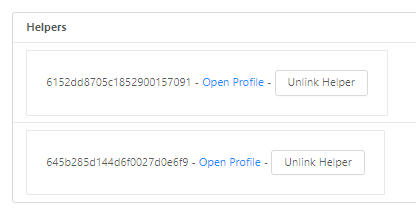
Add Helper:
If pro wants to add a New Helper then pro can add the same from their app itself.
Please refer this sheet for App Flow.